How Farmers Can Track Labour Costs Digitally
Labour is one of the most important operating costs on many farms, yet it is often one of the most difficult expenses to measure accurately.
A farm may employ permanent workers, seasonal labourers, casual workers, contractors or paid family members. Workers may also perform different activities across several fields during the same day. When labour records are kept in notebooks or reconstructed from memory at the end of the week, it becomes difficult to determine exactly how many hours were worked, which activities consumed the most labour and how much each crop or field actually cost.
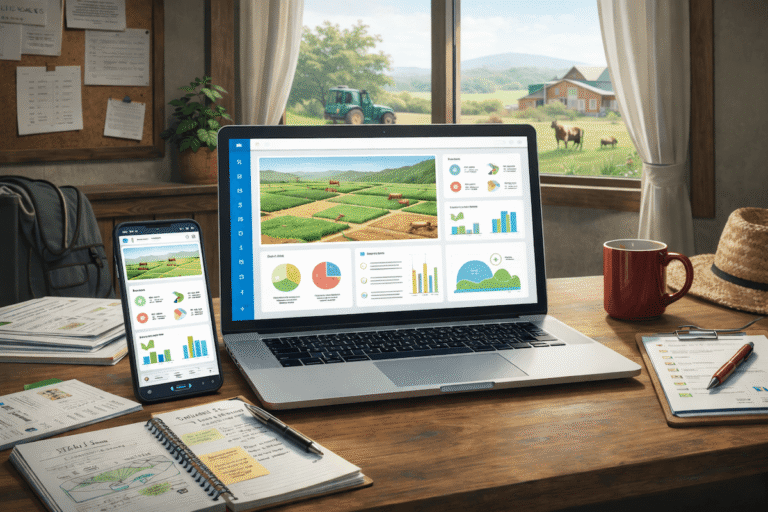
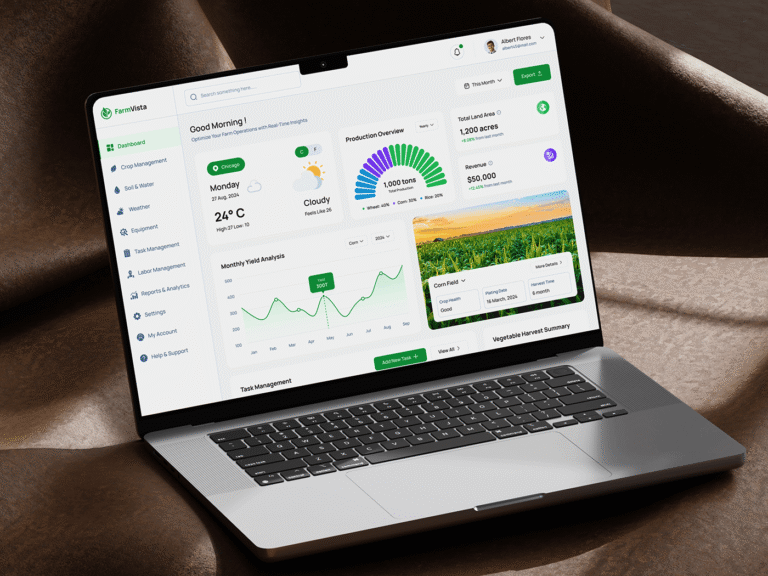
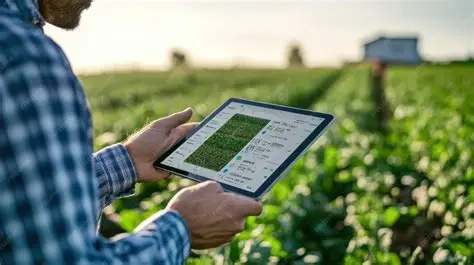
Digital labour tracking provides a way to record this information closer to the point where the work happens. Farm management systems can connect worker records, attendance, tasks, working hours and production activities, while some systems can also connect those records to payroll and field-level costing. Research on digital farm recordkeeping notes that farm management information systems can reduce labour-intensive recordkeeping and make agricultural information easier to store, access and share.
For farmers, the goal is not simply to replace a paper timesheet with an app. The real objective is to create reliable labour information that can support payroll, budgeting, production costing and farm management decisions.
What Is Digital Labour Cost Tracking?
Digital labour cost tracking is the process of recording farm workers, working time, tasks, rates and payments using digital tools rather than relying entirely on paper records.
A basic digital labour record might contain:
| Information | Example |
|---|---|
| Worker | Worker or employee identification |
| Date | Day the work was performed |
| Start time | Beginning of work |
| End time | End of work |
| Hours worked | Total working time |
| Field | Location where work occurred |
| Crop | Crop associated with the activity |
| Task | Planting, weeding, spraying, harvesting, etc. |
| Pay rate | Hourly, daily or task-based rate |
| Amount payable | Calculated labour payment |
| Supervisor | Person responsible for verification |
The exact information required depends on how the farm pays workers and how detailed its management records need to be.
FAO farm-management guidance also identifies labour records as an important category of farm records, including labour hours or days, the enterprise involved and the corresponding payment.
Why Farmers Need Better Labour Records
A farm’s total wage bill does not tell the whole story.
Suppose a farm spends a large amount on labour during a tomato production cycle. The manager may know the total amount paid but still not know how much labour was used for land preparation, transplanting, weeding, irrigation, crop protection and harvesting.
Digital records can provide a more detailed picture.
This matters because labour costs can be connected to production activities. A farm manager can then examine whether particular fields, crops or tasks are consuming substantially more labour than expected.
For example, if two fields are similar in size but one consistently requires more labour hours for weeding, the farm manager can investigate possible reasons instead of treating the difference as an unexplained expense.
How Farmers Can Track Labour Costs Digitally
Create a Digital Worker Register
The first step is creating a digital record for each worker.
The register can contain information such as the worker’s name or identification number, employment type, role, pay arrangement and relevant employment details.
For larger farms, workers can also be grouped into crews or teams.
This creates a central workforce record instead of maintaining separate handwritten lists across different farm locations.
Some current farm management platforms provide digital worker records, attendance, timesheets and payroll-related functions. These features vary considerably between software providers, so farmers should verify exactly what a system supports before adopting it.
Record Worker Attendance Digitally
Attendance is the foundation of labour cost tracking.
Farm workers can be recorded as present, absent or working for a particular shift. Depending on the technology, attendance may be captured through mobile devices, supervisor entries, QR codes, biometric systems or other identification methods.
The appropriate approach depends on the farm’s size, workforce structure, connectivity and budget.
A small farm may only need a supervisor to record daily attendance using a mobile application. A large plantation with hundreds of workers may require a more structured identification and attendance system.
The objective should be reliable records rather than adopting complicated technology simply because it is available.
Record Start and End Times
For hourly workers, digital time tracking can record when work begins and ends.
A simple workflow could be:
Worker identification → Clock-in → Task assignment → Work completed → Clock-out → Supervisor verification
The software can then calculate the recorded working duration.
Some agricultural labour platforms already provide clock-in, clock-out and timesheet functionality, with records that can be exported for payroll processing.
Connect Labour Hours to Farm Tasks
Recording eight hours of work is useful, but knowing what those eight hours were spent doing is much more valuable.
The worker’s time can be associated with activities such as:
- Land preparation
- Planting
- Transplanting
- Weeding
- Fertilizer application
- Spraying
- Irrigation
- Pruning
- Harvesting
- Sorting
- Packaging
- Equipment operation
- Livestock feeding
- Cleaning
- Maintenance
This allows the farm to understand not just how much labour was used, but where it was used.
Connect Labour to Fields and Crops
A major advantage of digital systems is the ability to connect labour records with specific production areas.
For example, a supervisor could record that a crew spent six hours weeding a particular maize field.
The system can then associate the labour record with that field and crop.
Over time, the farm can develop records showing labour requirements by field, crop and task.
Some commercial farm-management platforms specifically provide labour-cost analysis by field, hectare, task or crop.
Track Different Types of Farm Labour
Not every worker is paid in the same way.
A farm may have:
| Labour type | Typical tracking method |
|---|---|
| Permanent employees | Salary, attendance and work records |
| Daily workers | Days worked and daily rate |
| Hourly workers | Hours worked and hourly rate |
| Seasonal workers | Workdays or hours during production periods |
| Piece-rate workers | Units completed and agreed rate |
| Harvest crews | Quantity harvested and applicable rate |
| Contractors | Contracted activity and agreed payment |
| Family labour | Hours or days for management analysis |
Digital software should allow the farm to represent its actual labour arrangements rather than forcing every worker into one payment model.
Track Piece-Rate Labour
Some agricultural activities are paid according to output rather than time.
Harvest workers, for example, may be paid according to kilograms, crates, bags, trays or other units collected.
In such situations, the system needs to connect the worker with both the work completed and the applicable rate.
Digital harvest-management systems can combine worker identification, harvest quantities and settlement information to calculate labour-related payments.
This can be particularly useful where hundreds of individual transactions need to be reconciled.
How Digital Labour Tracking Helps Calculate Farm Labour Costs
Once working hours and rates have been recorded, labour cost can be calculated using the appropriate payment method.
For hourly workers:
Labour cost = Hours worked × Hourly rate
For daily workers:
Labour cost = Days worked × Daily rate
For piece-rate workers:
Labour cost = Units completed × Agreed rate per unit
These calculations become more useful when they are associated with a field, crop or activity.
For example:
| Field activity | Labour hours | Rate | Labour cost |
|---|---|---|---|
| Field preparation | 80 | ₦X/hour | ₦X |
| Planting | 55 | ₦X/hour | ₦X |
| Weeding | 110 | ₦X/hour | ₦X |
| Fertilizer application | 35 | ₦X/hour | ₦X |
| Harvesting | 140 | ₦X/hour | ₦X |
The figures above are illustrative. Actual labour rates vary by location, worker arrangement, crop, season and farm.
Track Labour Cost Per Hectare
One useful measurement for commercial farms is labour cost per hectare.
The basic calculation is:
Labour cost per hectare = Total labour cost for the area ÷ Area worked
For example, if a farm spends a total of ₦X on labour across 20 hectares, the average labour cost is:
₦X ÷ 20 hectares = ₦X per hectare
The calculation becomes more informative when performed separately for different crops, fields or production activities.
A farm management system that connects labour records with field records can make this analysis easier. Current agricultural software platforms demonstrate this type of field-level labour costing, although individual capabilities differ by product.
Track Labour Cost Per Crop
Different crops can require very different amounts of labour.
For example, a crop requiring repeated manual weeding and harvesting may have a substantially different labour profile from a crop that is more heavily mechanized.
By recording labour against crops, farmers can compare the labour component of production costs.
A useful report might show:
| Crop | Labour hours | Labour cost | Area | Labour cost per hectare |
|---|---|---|---|---|
| Maize | X | ₦X | X ha | ₦X |
| Tomato | X | ₦X | X ha | ₦X |
| Pepper | X | ₦X | X ha | ₦X |
| Cassava | X | ₦X | X ha | ₦X |
The purpose is not to assume that a lower labour cost automatically means a better production system. Labour requirements need to be considered alongside yield, quality, machinery, input costs, revenue and other production factors.
Compare Planned Labour With Actual Labour
Digital labour tracking can also support farm budgeting.
Before the season begins, a farm may estimate the labour required for each production activity.
For example:
| Activity | Planned hours | Actual hours | Difference |
|---|---|---|---|
| Land preparation | X | X | X |
| Planting | X | X | X |
| Weeding | X | X | X |
| Crop protection | X | X | X |
| Harvesting | X | X | X |
The important information is not merely that actual labour differed from the budget.
The farm manager should investigate why.
Additional labour could result from weather delays, pest problems, equipment breakdowns, poor field conditions, labour shortages, changes in production plans or other operational circumstances.
Use Digital Timesheets for Payroll
Digital timesheets can reduce the need to manually calculate every worker’s recorded hours.
Where the software supports payroll integration, verified timesheets can be transferred into payroll or accounting workflows.
Some agricultural labour systems explicitly provide timesheet exports for payroll processing.
However, farmers should distinguish between a system that merely exports timesheets and one that actually performs payroll calculations.
Before implementation, the farm should determine which payroll functions are required.
Use Supervisor Verification
Digital labour tracking still needs human oversight.
A worker may forget to clock out. A mobile device may malfunction. A supervisor may assign the wrong field. A task may change during the day.
For this reason, farms should establish a verification process.
A supervisor can review:
- Attendance
- Working hours
- Assigned tasks
- Field location
- Crew size
- Completed work
- Piece-rate output
- Overtime
- Exceptional records
This creates an additional layer of control before labour information is used for payroll or cost analysis.
Use GPS Carefully
GPS can help associate field activities with locations.
For example, a mobile device may record the location where a field activity was entered.
This can help establish whether work was recorded against the intended field.
However, GPS should not be treated as perfect proof of productivity. Location data can show where a device was recorded, but it does not automatically establish how effectively the work was performed.
Farmers should therefore combine location information with attendance, task records and supervisor verification where appropriate.
Offline Labour Tracking for Remote Farms
Connectivity can be a major practical issue for farms operating away from urban areas.
A digital labour system that requires continuous internet access may be difficult to use in remote fields.
Offline-capable applications allow field information to be stored locally and synchronized when connectivity becomes available.
Current farm-management platforms advertise offline data collection specifically for field operations, while some Nigerian-focused platforms also describe offline-first approaches for remote farm locations.
Farmers should test offline functionality in the actual locations where workers will use the system rather than relying solely on a software company’s description.
Track Labour Productivity Alongside Labour Cost
Labour cost should not be analyzed in isolation.
A farm can spend more on labour because workers completed more productive work. Conversely, a lower labour bill may result from insufficient labour and delayed farm operations.
Digital records can therefore combine labour costs with production measures.
For example:
Labour productivity = Quantity of work completed ÷ Labour hours
The relevant quantity depends on the activity.
For harvesting, it could be kilograms harvested per labour hour.
For planting, it could be hectares planted per labour hour.
For weeding, it could be hectares completed per labour hour.
This allows managers to examine both labour expenditure and work output.
Digital Labour Tracking for Nigerian Farms
For Nigerian farms, the appropriate digital labour system depends heavily on farm size and operating conditions.
A small farm may only require a mobile application for attendance, work records and payments.
A medium-sized commercial farm may need digital timesheets, field assignments, payroll records and cost reporting.
A large plantation or multi-estate agribusiness may require workforce identification, crew management, offline operation, field-level costing, payroll integration and centralized reporting.
Connectivity, electricity, smartphone availability, worker literacy, supervisor training and technical support should all be considered before deployment.
Some Nigerian farm-management platforms currently offer combinations of workforce management, attendance, timesheets, payroll and cost tracking, illustrating the growing range of digital options available to local farm operators.
Common Mistakes When Digitizing Farm Labour Costs
Recording Hours Without Recording Tasks
Knowing that a worker worked eight hours does not explain what was accomplished.
Where practical, working time should be associated with a specific task.
Recording Labour Without Connecting It to Production
A farm-wide labour figure has limited value when managers need to know the cost of individual crops or fields.
Where possible, labour should be associated with the relevant production unit.
Allowing Anyone to Edit Records
Uncontrolled editing can reduce confidence in the data.
Role-based permissions and audit records can help establish who entered or changed information.
Choosing Software That Is Too Complicated
A sophisticated system can fail if workers and supervisors find it difficult to use.
The technology should match the farm’s workforce, infrastructure and management capacity.
Ignoring Offline Requirements
A system that works well in an office may perform poorly in a remote field if it depends on constant connectivity.
Treating Digital Records as Automatically Accurate
Digital information is only as reliable as the process used to collect it.
Farm managers should regularly review unusual attendance records, excessive hours, missing entries and unexpected labour costs.
What Farmers Should Look For in Digital Labour Management Software
Before selecting software, farmers should examine the features that directly support their labour workflow.
| Feature | Why it matters |
|---|---|
| Worker register | Maintains organized workforce records |
| Attendance tracking | Records who worked and when |
| Clock-in and clock-out | Measures working time |
| Digital timesheets | Creates structured work records |
| Task assignment | Connects workers with farm activities |
| Field allocation | Connects labour with production areas |
| Crop allocation | Supports crop-level costing |
| Hourly and daily rates | Supports different payment structures |
| Piece-rate support | Handles output-based payment |
| Supervisor approval | Helps verify records |
| Payroll export | Transfers approved labour data |
| Offline capability | Supports remote farm operations |
| User permissions | Controls access to records |
| Audit trail | Shows changes and approvals |
| Reporting | Supports labour-cost analysis |
Farmers should also check whether the software can export their data and integrate with existing accounting or payroll systems.
A Practical Digital Labour Tracking Workflow
A farm does not need to introduce every technology at once.
A practical workflow can begin with five basic stages.
Stage 1: Register workers
Create digital profiles for permanent, seasonal and casual workers.
Stage 2: Record attendance
Capture when workers arrive and leave.
Stage 3: Record tasks
Associate workers or crews with the activities they perform.
Stage 4: Verify the records
Supervisors review attendance, hours, tasks and completed work.
Stage 5: Calculate and analyze costs
Use approved records to calculate wages and analyze labour costs by crop, field, task or production cycle.
Once this process works consistently, the farm can consider adding GPS, biometric identification, payroll integration, harvest tracking or other advanced technologies.
Final Takeaway
Farmers can track labour costs digitally by recording workers, attendance, working hours, tasks, payment rates and completed work in a connected digital system.
The greatest value comes when labour records are linked to fields, crops and farm activities. This allows managers to move beyond a simple wage bill and understand how labour contributes to the cost of production.
Digital labour tracking can also support payroll preparation, budgeting, labour productivity analysis and historical comparisons.
However, the technology should serve the farm’s actual workflow. A simple, consistently used system is generally more useful than a complicated platform that workers and supervisors struggle to operate.
For farmers starting the transition, the practical starting point is simple: accurately record who worked, when they worked, what they worked on and where the work took place. More advanced analysis can be built on that foundation.
Frequently Asked Questions
What is digital farm labour tracking?
Digital farm labour tracking is the use of software or digital tools to record worker attendance, working hours, tasks, payment rates and labour costs.
How can farmers calculate labour costs digitally?
Farmers can record hours or days worked and apply the appropriate payment rate. For piece-rate workers, the system can calculate payment based on the quantity of work completed.
Can farm management software track labour costs per hectare?
Yes, software that connects labour records with field information can calculate labour costs for specific fields or areas and derive measures such as labour cost per hectare.
Can farmers track seasonal workers digitally?
Yes. Digital systems can maintain records for permanent, seasonal, casual and other categories of farm workers, provided the software supports the farm’s workforce structure.
Can digital labour tracking be used for piece-rate workers?
Yes. Some agricultural labour systems support output-based payment by recording quantities harvested or other units completed and associating them with workers or crews.
Do farm workers need smartphones?
Not necessarily. The technology required depends on the system. Some workflows use smartphones, while others can use supervisor devices, dedicated identification systems or other field hardware.
Can digital labour records connect to payroll?
Some systems can export timesheets or integrate labour records with payroll and accounting systems. Farmers should verify the exact integration capabilities before purchasing software.
Can digital labour tracking work without internet?
Some farm-management applications support offline data collection and later synchronization. This capability should be tested in the farm’s actual operating environment before deployment.
Does digital labour tracking automatically reduce labour costs?
No. Digital tracking primarily improves visibility and record accuracy. Whether costs decrease depends on how farm managers use the information to plan labour, allocate workers and improve farm operations.