Top 10 Best Farm Management Features Every Commercial Farm Needs
Commercial farms generate a large amount of information every day. Planting dates, field activities, fertiliser applications, pesticide applications, labour hours, machinery use, irrigation, inventory, harvest quantities, sales, expenses and weather conditions all affect the final cost and profitability of production.
The problem is that many farms still manage parts of this information through notebooks, spreadsheets, paper forms, messaging applications and separate accounting or inventory systems. As the operation grows, information becomes fragmented and managers can struggle to answer basic questions such as how much a field has cost, which inputs were used, where machinery was deployed, how much stock remains, or whether a crop is actually profitable.
This is where farm management software and Farm Management Information Systems can become useful.
A modern farm management system should do more than store records. It should help the farm plan activities, monitor operations, control resources, understand costs, coordinate workers, manage inventory and turn historical and current data into information that supports better decisions.
Research on commercial farm management information systems shows that functions such as inventory, finance and quality assurance are among the functions farmers have actively sought in commercial systems, while broader FMIS research identifies farm records, machinery management, planning, decision support, traceability and financial management as important components.
The most useful features, however, depend on the type and scale of the farm.
A commercial maize operation does not have exactly the same requirements as a greenhouse vegetable business, dairy farm, poultry operation or integrated agribusiness.
The objective should therefore not be to find software with the longest feature list.
The objective is to find a farm management system that gives the farm accurate information about what is happening, what it costs, what needs attention and what should happen next.
What Is Farm Management Software?
Farm management software is a digital system used to organize, record, monitor and analyse farm operations.
It can bring information from different parts of the business into one management environment.
Depending on the platform, this can include:
- Fields and farm maps
- Crop production
- Livestock
- Farm activities
- Labour
- Machinery
- Inputs
- Inventory
- Irrigation
- Weather
- Harvests
- Sales
- Expenses
- Budgets
- Financial reports
- Farm tasks
- Compliance records
- Production history
A more advanced Farm Management Information System can also connect with precision agriculture equipment, sensors, GPS systems, weather data, machinery and external analytical services.
The important distinction is that farm management software is not simply electronic bookkeeping.
Its purpose is to help the people managing the farm collect and use information for operational and business decisions.
Why Commercial Farms Need Farm Management Features
A small farm may be able to keep track of its activities through memory, notebooks and simple spreadsheets.
A larger commercial operation becomes much more complicated.
There may be multiple fields, crop cycles, managers, machinery operators, labour teams, warehouses, input suppliers, irrigation systems, production sites and sales channels.
Without a structured information system, managers may have difficulty connecting operational activity to financial results.
For example, knowing that a farm harvested 100 tonnes of maize is useful.
Knowing how much it cost to produce those 100 tonnes, how much fertiliser and fuel were consumed, how many labour hours were required, which field produced the highest yield and what the crop ultimately contributed to the business is much more valuable.
This is why farm management systems increasingly combine operational, spatial and financial information.
The Most Important Farm Management Features
Not every commercial farm needs every available software feature.
However, several functions form the foundation of a useful commercial farm management system.
| Feature | What it manages | Why it matters |
|---|---|---|
| Farm and field management | Farms, fields, blocks and boundaries | Creates a structured view of the operation |
| Crop planning | Crops, varieties, seasons and schedules | Helps managers organize production |
| Activity records | Planting, spraying, fertilising, irrigation and other work | Creates an operational history |
| Inventory | Seed, fertiliser, chemicals, feed, spare parts and other stock | Reduces stock uncertainty |
| Labour management | Workers, teams, tasks, hours and payroll information | Helps control labour and coordinate work |
| Machinery management | Equipment, usage, fuel and maintenance | Improves equipment oversight |
| Financial management | Costs, revenue, budgets and profitability | Connects farm operations with business performance |
| Harvest management | Yield, quality, storage and movement | Provides production and post-harvest records |
| Reporting and analytics | Farm performance information | Supports management decisions |
| Task management | Planned and completed work | Helps managers coordinate field operations |
| Traceability | Inputs, activities and production history | Supports quality, compliance and supply-chain requirements |
| Integration | Sensors, machinery, weather and other systems | Reduces disconnected data |
| Mobile and offline access | Field data collection | Allows workers to record information away from the office |
The strength of a farm management platform depends not only on whether these functions exist, but on how well they work together.
Farm Mapping and Field Management
Farm mapping is one of the most important foundations of digital farm management.
A commercial farm should be able to define its farms, fields, blocks or production units within the system.
A field record may contain information about:
- Field location
- Area
- Crop
- Variety
- Planting date
- Soil information
- Irrigation infrastructure
- Production history
- Inputs
- Yield
- Field activities
This creates a digital identity for each production area.
Instead of recording that fertiliser was applied “to the north field,” the system can associate the application with a defined field or management zone.
For farms using precision agriculture, mapping becomes even more important because satellite imagery, drone data, soil information, yield maps and machinery records may need to be connected to specific locations.
A useful mapping system should therefore support more than drawing farm boundaries.
It should allow field information to become part of the farm’s wider operational records.
Crop Planning and Production Management
Commercial crop production involves numerous activities that need to happen at the right time.
A farm management system should allow managers to plan production cycles and monitor progress.
Depending on the crop, this can include:
- Land preparation
- Seed procurement
- Planting
- Fertiliser applications
- Weed management
- Pest management
- Disease management
- Irrigation
- Crop scouting
- Harvesting
- Transport
- Storage
The software should ideally allow planned activities to be compared with completed activities.
This distinction is important.
A manager may plan to apply fertiliser on Monday, but the actual application could occur on Wednesday because of rain or machinery problems.
Recording what actually happened creates a more accurate production history.
Farm Activity Recording
Activity recording is one of the most basic but valuable functions of a farm management system.
The system should allow workers or managers to record what was done, where it was done, when it was done and, where appropriate, who performed it and what resources were used.
Examples include:
- Planting
- Fertiliser application
- Spraying
- Irrigation
- Weeding
- Cultivation
- Harvesting
- Equipment movement
- Livestock activities
Good activity records create a history of farm operations.
They can later be used to analyse production costs, identify recurring problems and verify that planned activities were completed.
Electronic farming records can also create a structured dataset containing information about fields, crops, products, operations and management processes, making the data more useful for later analysis.
Input Management and Inventory Control
Inventory management becomes increasingly important as a commercial farm grows.
Inputs can represent a significant amount of working capital.
A farm may have stocks of:
- Seed
- Fertiliser
- Crop protection products
- Animal feed
- Veterinary supplies
- Packaging
- Fuel
- Lubricants
- Spare parts
- Irrigation components
- Maintenance materials
A useful inventory feature should record purchases, stock movements and usage.
For example, if a farm receives 500 bags of fertiliser, the system should be able to record the quantity received and subsequently track how much was allocated or used.
The manager should then have a clearer view of remaining stock.
Inventory management also becomes useful when linked to field activities.
If a fertiliser application is recorded against a specific field, the quantity used can contribute to the field’s production-cost record.
That creates a connection between physical operations and financial management.
Labour and Workforce Management
Labour can be one of the largest operating costs on many commercial farms.
It can also be difficult to manage when workers are distributed across multiple fields or production units.
A farm management system can help record:
- Employees
- Temporary workers
- Labour teams
- Assigned tasks
- Hours worked
- Attendance
- Work completed
- Labour costs
- Payroll information where supported
For a large farm, task assignment can be particularly useful.
A manager may need to assign a team to weed a specific field, another team to harvest a different block and another group to repair irrigation infrastructure.
The system can provide a record of what was assigned and what was completed.
The value is not simply administrative.
Labour records can help managers understand how much labour different crops or activities require.
Task Scheduling and Work Management
A commercial farm can have hundreds of activities taking place during a production cycle.
Task management helps turn the farm’s production plan into actual work.
A useful system should allow managers to:
- Create tasks
- Assign tasks
- Set deadlines
- Identify the field or production unit
- Record completion
- Add notes
- Track outstanding work
Some systems can provide notifications or dashboards showing overdue or upcoming activities.
This becomes especially valuable during busy periods such as planting and harvesting.
The goal is not to create unnecessary administration.
The task system should make it easier for managers to know what has been completed, what is delayed and what needs attention.
Machinery and Equipment Management
Commercial farms depend heavily on machinery and equipment.
A farm management system should therefore provide a structured way to track important equipment.
Records may include:
- Tractor and machine identity
- Operating hours
- Field operations
- Fuel consumption
- Maintenance
- Repairs
- Parts
- Downtime
- Operator
- Location
This can help managers understand equipment utilization.
For example, if a tractor spends significant time idle while another tractor is heavily used, the data may reveal an equipment-allocation problem.
Maintenance records can also help managers identify recurring repair issues.
For farms using GPS-enabled machinery, equipment data may be integrated into the farm management platform.
This creates a more detailed record of where and how machines were used.
Fuel Management
Fuel deserves particular attention on machinery-intensive farms.
Diesel and other energy costs can have a significant impact on production costs.
A farm management system can track:
- Fuel purchases
- Fuel issued
- Equipment usage
- Fuel consumption
- Fuel costs
- Fuel inventory
When combined with machinery hours or field operations, the data can help managers investigate unusually high consumption.
Fuel records can also contribute to field-level costing.
For example, if a tractor performs land preparation on a particular field, the associated fuel and machinery costs can be allocated to that operation.
Financial Management
Operational information becomes much more valuable when it can be connected to financial information.
Financial management features may include:
- Revenue
- Expenses
- Accounts
- Budgets
- Purchases
- Sales
- Cash flow
- Cost categories
- Profit and loss
- Financial reports
Commercial farms need to understand more than total revenue.
A farm can generate substantial sales and still have weak margins if production costs are poorly controlled.
The system should therefore help management connect revenue to the production activities that generated it.
For example, a manager may want to know the total production cost of a particular crop, field or production cycle.
That requires operational records to be connected with financial records.
Research into commercial FMIS adoption found that finance and inventory were among the functions most frequently purchased in the studied commercial systems, illustrating the practical importance of these capabilities.
Field-Level Costing
Field-level costing is especially valuable for commercial crop farms.
Instead of calculating costs only at the farm level, the system can associate expenses and activities with particular crops, fields or production cycles.
Possible cost categories include:
- Seed
- Fertiliser
- Crop protection
- Labour
- Fuel
- Machinery
- Irrigation
- Land preparation
- Harvesting
- Transport
This can help answer questions such as:
Which crop is consuming the most inputs?
Which field is producing the highest cost per hectare?
Which production activity is becoming more expensive?
How does the cost of one production cycle compare with another?
Without reliable records, these questions may be answered using assumptions.
With structured records, managers can use actual farm data.
Harvest and Yield Management
Harvest records should not be treated as the final line in the production process.
A commercial farm should be able to record:
- Harvest date
- Field
- Crop
- Quantity
- Quality
- Grade
- Storage destination
- Buyer
- Sales quantity
- Losses
Where suitable equipment is available, yield-monitoring systems can also generate spatial yield information.
This can become particularly useful for precision agriculture because managers can compare yield variation with soil conditions, fertiliser applications, irrigation and other field variables.
The objective is to understand not only how much the farm harvested, but why production differed between fields or areas.
Sales and Revenue Tracking
Farm management software should ideally connect production with sales.
A commercial operation needs to know what was sold, to whom, at what price, when it was sold and how much remains available.
Sales records may include:
- Buyer
- Product
- Quantity
- Grade
- Price
- Delivery date
- Payment status
- Sales channel
This can help managers compare production against market activity.
For farms selling through multiple channels, digital sales records can also make it easier to monitor which products or customers contribute most to revenue.
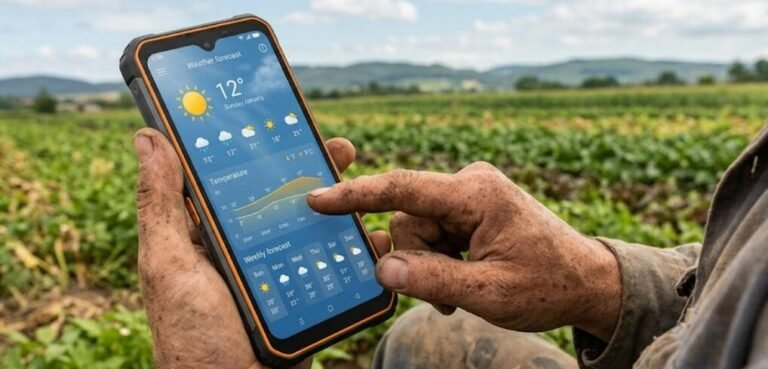
Weather and Farm Decision Support
Weather information can become more useful when it is integrated into farm management.
A farm management system may display weather forecasts or connect with farm weather stations.
This can support decisions around:
- Planting
- Spraying
- Irrigation
- Harvesting
- Field access
- Disease-risk management
For example, a planned field operation may need to be delayed because of expected rainfall.
A system that combines the farm schedule with weather information can help managers identify potentially affected activities.
Weather data should still be treated as decision support rather than an absolute prediction.
Actual conditions can differ from forecasts, particularly at local farm level.
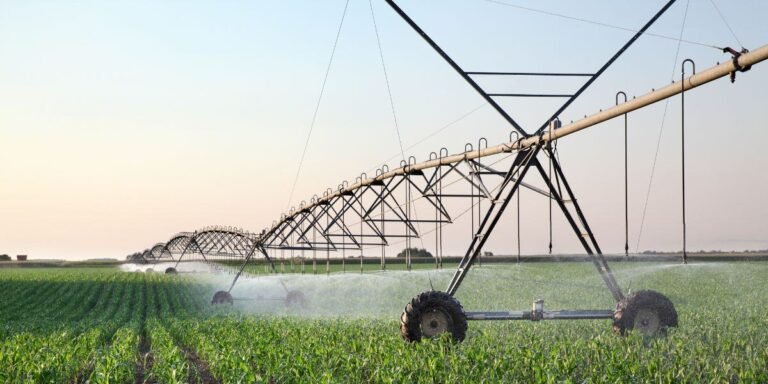
Irrigation and Water Management
For irrigated farms, water management should be an important part of the farm management system.
Depending on the technology, managers may want to record:
- Irrigation dates
- Fields irrigated
- Duration
- Water volume
- Pump operation
- Flow measurements
- Soil moisture
- Rainfall
The system can then provide a historical record of water use.
If connected to sensors and irrigation controllers, it may also support more advanced monitoring and automation.
The key benefit is visibility.
Managers can compare water use against crop production and identify unusual patterns.
This is particularly important where water availability or pumping costs are significant.
Livestock Management
Farm management systems should not be designed only for crop farms.
Commercial livestock operations need specialized features for managing animals and production.
Depending on the livestock enterprise, these may include:
- Animal identification
- Birth records
- Breeding
- Vaccination
- Medication
- Feed
- Weight
- Mortality
- Health observations
- Production
- Milk or egg records
- Movement
- Sales
The required features differ between dairy, poultry, beef, pig, sheep, goat and other livestock systems.
A commercial livestock farm should therefore avoid selecting general-purpose farm software that lacks the animal-management functions required by its production model.
Traceability and Quality Records
Traceability is becoming increasingly important across agricultural value chains.
A farm management system can help connect production activities to specific fields, batches, animals or harvest lots.
For crop production, a traceability record might connect:
Field โ variety โ inputs โ production activities โ harvest โ storage โ buyer
For livestock:
Animal or group โ feed โ health records โ production โ processing or sale
This can make it easier to investigate quality problems and demonstrate how products were produced.
Research on commercial FMIS has identified quality assurance and traceability as increasingly important functions.
Compliance and Documentation
Commercial farms may need to maintain extensive documentation related to production standards, food safety, environmental management, labour requirements or customer specifications.
A farm management system can organize the information required to demonstrate that particular activities took place.
Examples may include:
- Input application records
- Spray records
- Worker training
- Equipment inspections
- Harvest records
- Quality checks
- Animal health records
- Environmental activities
The exact compliance requirements depend on the country, crop, livestock system, certification scheme and market.
The software should therefore support the farm’s actual documentation requirements rather than simply providing generic compliance functions.
Mobile Data Collection
A farm management system that only works conveniently from an office computer can become difficult to use in large commercial operations.
Farm workers and supervisors spend much of their time in fields, barns, greenhouses and storage areas.
Mobile access allows information to be captured closer to the point where work happens.
A field supervisor could record a completed spraying operation immediately after it takes place rather than waiting until the end of the day.
A livestock worker could record production information from the animal facility.
A store manager could update inventory when inputs are issued.
Mobile access can therefore reduce the delay between an activity occurring and the information being recorded.
Offline Functionality
Offline capability can be particularly important for farms in areas with unreliable connectivity.
A worker should ideally be able to record information even when the mobile network is unavailable.
The system can then synchronize the information when connectivity returns.
This feature can be particularly relevant to African commercial farms where connectivity may vary across fields and rural locations.
A buyer should ask whether offline functionality supports the actual tasks the farm needs to perform, rather than simply assuming that a platform described as “offline capable” will work for every workflow.
Role-Based Access and User Permissions
A commercial farm may have many users with different responsibilities.
The farm owner may need access to financial reports.
The farm manager may need operational information.
An agronomist may need crop records.
A storekeeper may need inventory access.
A field supervisor may need task and activity functions.
A well-designed system should therefore allow different users to have appropriate permissions.
This reduces the risk of everyone having unrestricted access to sensitive information.
It also makes the system easier to manage as the business grows.
Dashboards and Management Reporting
A dashboard should help managers see what matters without forcing them to search through hundreds of individual records.
Useful management indicators might include:
- Current crop areas
- Planned versus completed activities
- Inventory levels
- Labour activity
- Machinery utilization
- Production
- Sales
- Expenses
- Outstanding tasks
- Water use
- Yield
- Cost per hectare
The most useful dashboard depends on the manager’s responsibilities.
A farm owner may focus on profitability and cash flow.
A production manager may focus on crop activities and yield.
A farm engineer may focus on equipment and irrigation.
The software should allow information to be viewed at the appropriate management level.
Reporting and Historical Analysis
A good farm management system should not only show what is happening today.
It should help managers understand what happened previously.
Historical analysis can compare:
- Seasons
- Fields
- Crops
- Varieties
- Production systems
- Input use
- Labour
- Machinery
- Yield
- Costs
- Revenue
This can help reveal patterns that are difficult to see during daily operations.
For example, a farm may discover that a particular field repeatedly produces lower yields despite receiving similar inputs.
That finding can lead to further investigation of soil conditions, drainage, irrigation, pests or other factors.
Data Integration With Precision Agriculture
Commercial farms increasingly use technologies outside the core farm management system.
These may include:
- GPS equipment
- Satellite imagery
- Drones
- Soil sensors
- Weather stations
- Yield monitors
- Irrigation controllers
- Machinery terminals
The farm management system should ideally be capable of receiving or exchanging relevant data with these systems.
This is where interoperability becomes important.
Research has identified fragmented agricultural information systems as a major challenge because data may remain isolated in separate platforms. Better integration can allow information from different systems to support broader farm decisions.
For example:
Soil sensor โ farm platform โ irrigation record โ crop activity โ production cost
is more useful than having each piece of information trapped in a separate application.
Data Ownership and Portability
Data ownership is an important feature that farmers should not overlook.
A farm may spend years building a valuable digital record.
That data can include:
- Field boundaries
- Production history
- Yields
- Input applications
- Financial information
- Machinery records
- Customer information
- Farm-specific knowledge
Before adopting software, the farm should understand who controls this information and what happens if the business changes software providers.
Important questions include:
Can the farm export its data?
What format is the exported data in?
Can historical records be transferred to another system?
Who can access the data?
Can third-party services use the information?
What happens to the data if the subscription ends?
Agricultural data interoperability and data sovereignty research emphasizes data portability, consent and transparency over how farm data is used.
Integration With Accounting and Business Systems
A commercial farm should not have to enter the same financial information into multiple systems unnecessarily.
Where appropriate, farm management software can connect operational records with accounting or business-management systems.
For example:
Input purchase โ inventory โ field application โ production cost
or:
Harvest โ inventory โ sale โ revenue
This creates a clearer relationship between physical farm operations and financial performance.
The level of integration required depends on the size and complexity of the business.
A smaller commercial farm may be able to operate effectively with an integrated farm platform.
A large agribusiness may require connections to dedicated accounting, payroll, procurement or enterprise systems.
Artificial Intelligence and Advanced Analytics
AI is increasingly appearing in farm management platforms, but it should be treated as an additional capability rather than the foundation of the system.
AI can potentially help with:
- Anomaly detection
- Forecasting
- Crop monitoring
- Production analysis
- Cost analysis
- Task prioritization
- Predictive maintenance
- Decision support
The usefulness of these functions depends on the quality and quantity of farm data.
An AI system cannot compensate for inaccurate field records, missing production data or poorly maintained sensors.
The most valuable AI feature may therefore be one that solves a specific management problem rather than a generic chatbot added to the dashboard.
What Features Are Most Important for Different Commercial Farms?
The ideal feature set changes according to the production system.
| Farm type | High-priority features |
|---|---|
| Large grain farm | Field mapping, crop planning, machinery, input tracking, yield records, financial analysis, precision agriculture integration |
| Vegetable farm | Crop planning, labour, input records, irrigation, harvest, inventory, quality and traceability |
| Greenhouse | Crop planning, climate monitoring, irrigation, fertigation, labour, production records and automation integration |
| Dairy farm | Animal records, breeding, health, feed, milk production, labour and financial management |
| Poultry farm | Flock records, feed, mortality, production, medication, inventory, sales and financial reporting |
| Plantation | Field mapping, crop records, labour, input management, weather, harvest, traceability and logistics |
| Mixed farm | Crop, livestock, inventory, labour, machinery and financial integration |
| Multi-site agribusiness | Central reporting, user permissions, field management, finance, inventory, workforce and cross-site analytics |
This illustrates why there is no universal “best” farm management feature set.
The right system is determined by how the farm operates.
Which Features Should a New Commercial Farm Prioritize?
A new commercial farm does not need to purchase a platform with every advanced feature immediately.
The starting point should usually be a reliable operational foundation.
For many crop farms, that means:
Farm mapping + crop planning + activity records + input inventory + labour + financial records + harvest tracking
Once these functions are working reliably, the farm can consider integrating:
Weather + sensors + machinery + satellite imagery + irrigation + precision agriculture
Advanced analytics and AI can then be added where they provide a clear operational benefit.
This staged approach can prevent a farm from paying for features that workers never use.
Which Features Matter Most for Large Commercial Farms?
As a farm becomes larger, integration becomes more important.
A large operation may have multiple sites, fields, managers, machinery fleets and production teams.
At this level, management may need:
- Multi-farm management
- Role-based access
- Central dashboards
- Field-level costing
- Machinery tracking
- Inventory control
- Labour management
- Financial reporting
- Task coordination
- Precision agriculture integration
- Data interoperability
- Traceability
- Historical analytics
The software must also remain responsive as the amount of data and number of users increase.
Scalability should therefore be evaluated before purchasing a system.
What Features Matter Most for African Commercial Farms?
Commercial farms in Africa may have additional requirements that are less important in areas with consistently reliable infrastructure.
Offline functionality can be valuable where connectivity varies.
Mobile-first interfaces can help field teams work without relying on office computers.
Simple data entry can reduce training requirements.
Flexible measurement units and currencies may also matter.
Local technical support can be more important than a long list of advanced features.
The availability of spare hardware, reliable customer support and affordable connectivity should be considered alongside the software itself.
Some African farm-management platforms now specifically market features such as mobile access, offline operation, farm operations, finance, human resources and inventory for African agribusinesses. These are useful examples of how software providers are adapting commercial farm-management systems to regional operating conditions, although individual provider claims should be assessed independently before purchase.
How Much Does Farm Management Software Cost?
There is no single cost for farm management software.
Pricing can depend on:
- Number of users
- Number of farms
- Farm area
- Number of production units
- Modules required
- Mobile access
- Integrations
- Data storage
- Support
- Training
- Hardware
- Sensor connections
- Implementation services
- Subscription structure
Some systems use subscription pricing.
Others may charge according to users, hectares, modules or organizational size.
Some providers offer basic functionality at lower cost and charge separately for advanced modules.
The software subscription is also not necessarily the full cost.
A commercial farm should consider the total cost of ownership, including implementation, training, data migration, hardware, connectivity, support and integrations.
Exact prices should be obtained directly from providers because they can change and may vary significantly by farm size and configuration.
What Should Farmers Check Before Buying Farm Management Software?
A farm should not select software based only on screenshots or the number of features listed on a website.
Before purchasing, ask whether the system can handle the actual workflow of the farm.
Important questions include:
Can it map the farm accurately?
Can workers record activities from the field?
Does it work offline?
Can it manage multiple farms?
Can it track inventory?
Can it calculate field-level costs?
Can it manage labour?
Can it track machinery?
Can it record harvests?
Can it handle livestock if required?
Can it integrate with sensors or machinery?
Can data be exported?
Who owns the farm data?
What happens if the subscription ends?
How often is the system updated?
What training is provided?
What technical support is available locally?
Can the system scale as the farm expands?
These questions often reveal more about a platform’s suitability than a long feature list.
Integration Is Often More Important Than the Number of Features
A farm can have excellent software and still struggle if its systems cannot communicate.
Imagine a farm using one application for crop records, another for accounting, a third for machinery, separate weather data and another application for irrigation.
If all of these systems operate independently, managers may still spend considerable time moving information manually.
A smaller number of well-integrated systems can sometimes be more useful than a larger number of disconnected tools.
Modern agricultural information systems increasingly face this interoperability challenge, particularly as farms combine FMIS platforms with IoT devices, GIS, machinery systems, supply-chain tools and decision-support technologies.
Common Farm Management Software Mistakes
Buying Too Many Features
A commercial farm should pay for features it can realistically use.
A complicated platform can become expensive and difficult to implement if workers only use a small portion of it.
Ignoring Field Workers
Software designed only for office managers may fail if field employees cannot enter accurate information easily.
Choosing a System Without Offline Capability
This can become a serious problem where network coverage is inconsistent.
Failing to Establish Data Standards
If one worker records hectares while another records acres, or if crop names and field names are entered inconsistently, analysis can become difficult.
Treating Software as a Substitute for Management
A dashboard cannot compensate for poor agronomy, weak supervision or inaccurate records.
Ignoring Data Portability
A farm should understand how it can retrieve its information if it changes software providers.
Buying Before Mapping the Workflow
Before purchasing software, document how the farm currently operates.
Then determine where software can improve the process.
How to Implement Farm Management Software Successfully
Implementation should begin with the farm’s management needs.
First, identify the information managers currently struggle to obtain.
Then document how the farm records activities, inputs, labour, machinery, harvest and finances.
Next, identify which processes should be digitized first.
Start with a manageable part of the farm rather than attempting to digitize every process simultaneously.
Train the people who will actually use the system.
Establish consistent names for farms, fields, crops, inputs and equipment.
Then monitor data quality.
A farm management system becomes more useful as its records become more accurate and complete.
After the basic system is functioning, the farm can add more advanced integrations such as weather stations, IoT sensors, GPS machinery, satellite imagery and AI-based analytics.
The Most Valuable Feature Is Reliable Farm Information
Farm management software is ultimately an information system.
Its value depends on whether the information it produces is accurate, timely and useful.
A beautifully designed dashboard is not particularly valuable if the underlying records are incomplete.
Likewise, an AI-powered recommendation is difficult to trust if the farm’s input, field or production data is unreliable.
The basic principle is simple:
Good farm data โ better information โ better decisions โ better management.
This is why accurate record keeping remains one of the most important foundations of digital farm management.
What a Good Commercial Farm Management System Should Achieve
A well-designed system should help management answer practical questions.
What is happening?
Which fields are being worked? Which tasks are overdue? What inventory is available? Which machinery is operating?
What happened?
What inputs were applied? How much labour was used? What was harvested? What did production cost?
What is it costing us?
How much has each crop, field or production unit consumed?
What needs attention?
Which tasks are delayed? Which equipment needs maintenance? Which stock is running low?
What is performing well?
Which fields, crops, varieties or production systems are producing better results?
What should we change?
Where does the farm have evidence that a production or management practice needs to be reviewed?
These questions are much more important than whether the software contains a particular trendy technology.
Final Takeaway
The best farm management features for a commercial farm are the ones that improve visibility and control over the farm’s real operations.
At the foundation are field management, crop planning, activity records, inventory, labour, machinery, financial management and harvest tracking.
As the farm becomes more digitally mature, weather information, mobile data collection, offline operation, traceability, dashboards, precision agriculture integration and advanced analytics can become increasingly valuable.
For larger operations, interoperability and data ownership become particularly important because information may come from many different systems.
The right farm management platform should therefore connect the farm’s operational and financial information without creating unnecessary complexity.
Commercial farmers should not choose software because it has the longest feature list or the most impressive AI claims.
They should choose a system that fits the way the farm actually operates, can be used reliably by the farm team, protects and provides access to the farm’s data, integrates with important technologies and gives managers information they can use to make better decisions.
Frequently Asked Questions
What are the most important farm management software features?
For most commercial farms, important features include farm and field management, crop planning, activity records, inventory, labour management, machinery records, financial management, harvest tracking, reporting and task management. The priority depends on the farm’s production system.
Does farm management software replace accounting software?
Not always. Some farm management platforms include financial functions, while others integrate with dedicated accounting systems. Commercial farms should determine whether the financial features are sufficient for their accounting requirements or whether integration with separate accounting software is necessary.
Can farm management software work without internet?
Some systems provide offline data collection and synchronize information when connectivity returns. This is particularly useful for farms operating in locations with unreliable mobile or internet coverage. Farmers should verify exactly which functions remain available offline.
Is farm management software useful for small commercial farms?
Yes, but the required feature set may be smaller. A small commercial farm may benefit from field records, crop planning, input tracking, labour, expenses, harvest and sales before needing advanced machinery or sensor integrations.
What is an FMIS?
FMIS stands for Farm Management Information System. It is a structured digital system for collecting, processing, storing and using farm information to support farm operations and management decisions.
Should farm management software include AI?
AI can be useful for specific applications such as forecasting, anomaly detection, decision support or production analysis, but it should not be treated as an essential feature simply because it is available. Reliable farm data and useful core management functions should come first.
Why is data integration important in farm management?
Integration allows information from different systems, such as farm software, machinery, sensors, weather platforms and precision agriculture tools, to work together. Without integration, managers may have to manually transfer information between disconnected systems.
What should a farmer check before buying farm management software?
Farmers should evaluate usability, field mapping, mobile access, offline capability, inventory, labour, financial functions, reporting, integrations, data export, data ownership, technical support, training, security, scalability and total cost of ownership.